I will introduce you how to setup Event Processor to scan incoming mail by NOD32.
First, install NOD32 4.0 version.
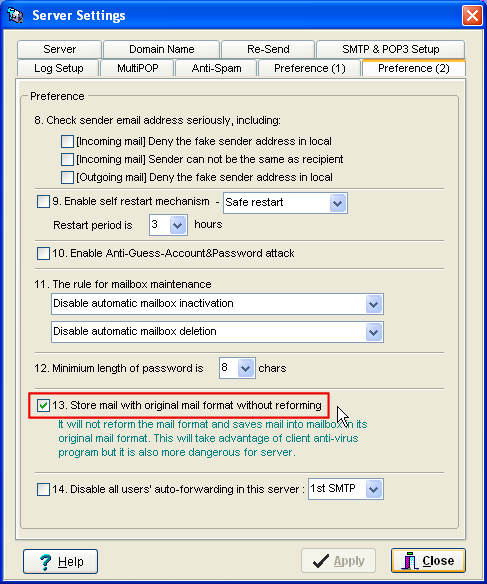
1.Check the checkbox of [Server settings] -> [Preference(2)] -> [Store mail in original format without reforming] and apply it. (This option had been removed in newer version, it will be enabled in default)
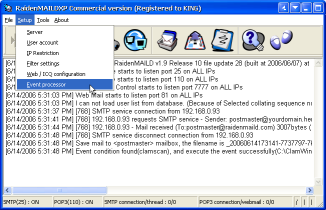
2. Back to raidenmaild main form, click [Setup] -> [Event Processor]
 --> --> 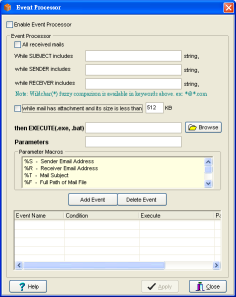
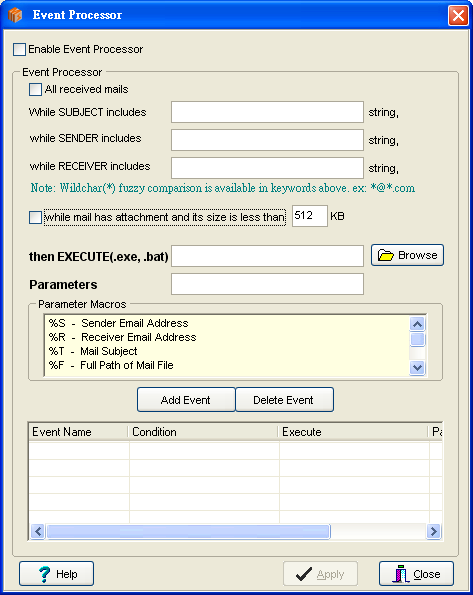
3. In Event Processor form
[Enable Event Processor] -- Checked
[While mail has attachment and its size is less than 512 KB] -- Checked
[EXECUTE] Browse <NOD32>\ecls.exe
[PARAMETERS]
%F /log-file=c:\ecls.log /clean-mode=delete
After parameters are ready, just click [Add event], give it a name, check it to enable it.
4. It is already done when you go to this step. It is time to test how nod32 works. Open your mail client application and send an attachment mail to mailbox in raidenmaild, you should see some log in the main screen log window. Just like below.
[9/24/2009 5:31:37 PM] [768] SMTP service connection from 220.135.26.64
[9/24/2009 5:31:41 PM] [768] 220.135.26.64 requests SMTP service - Sender: tester@raidenftpd.com
[9/24/2009 5:31:44 PM] [768] 220.135.26.64 - Mail received (To:postmaster@raidenmaild.com) 3007bytes ( 7.4 Kb/s)
[9/24/2009 5:31:48 PM] [768] SMTP service disconnect connection from 220.135.26.64
[9/24/2009 5:31:48 PM] Save mail to <postmaster> mailbox, the filename is _20090924173141-7737797-768.eml 3122bytes
[9/24/2009 5:31:49 PM] Event condition found(nod32), and execute the event successfully("C:\Program Files\Eset\ecls.exe" "C:\Program Files\RaidenMAILD\Inboxes\postmaster\_20090924173141-7737797-768.eml" /log-file=c:\ecls.log /clean-mode=delete )
5. Check the log c:\ecls.log , you will find the scanning is logged.
6. for more details about parameters, please check this page
http://www.eset.com.sg/html/171/757/
7. When these tests are done, congratulations to you, you already integrated raidenmaild with nod32. It will help you to remove virus attachment from mail.
Thanks for your reading.
Back to Index
Last update : 2009/09/25 |