We will teach you how to use the event handler of RaidenMAILD in conjunction with ClamAV to scan your inbound emails for virus.
(1) First, we go to ClamAV website to download the latest version. Install ClamAV's Windows installer to C:\ClamAV
(2) Create a configuration file Clamd.conf in the C:\ClamAV directory with the following content:
TCPSocket 3310
TCPAddr 127.0.0.1
MaxThreads 20
LogFile C:\ClamAV\clamd.log
DatabaseDirectory C:\clamAV\database
(3) Create a configuration file Freshclam.conf with the following content:
DatabaseMirror database.clamav.net
DNSDatabaseInfo current.cvd.clamav.net
(4) Start the DOS PROMPT command prompt as the system administrator and switch to C:\ClamAV Navigate to the directory and run Freshclam.exe; it will begin updating the database.
(5) Execute
Clamd.exe --install
to install it as a system service
(6) Execute
sc config clamd start=auto
to configure the ClamD system service to auto start
(7) Execute
net start Clamd
to start the ClamD system service
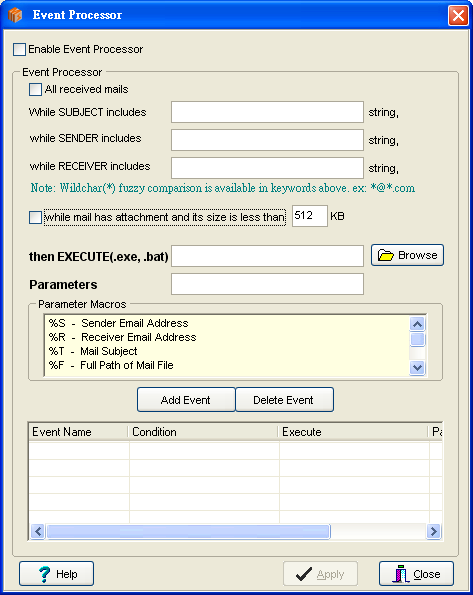
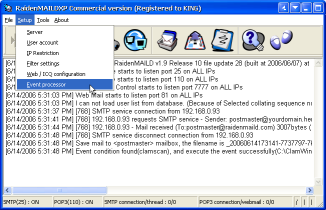
(8) Open the RaidenMAILD main screen -> [Menu] -> [Settings] -> [Event Handler]
 -->
--> 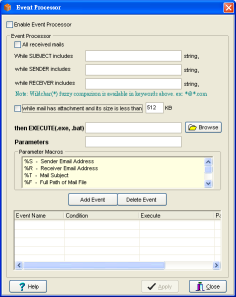
(9) Make the following settings in the event handler
[Start Event Processor] -- Check
[When the email contains an attached email file and the email size is less than 512 KB] -- Check
[Execute External Program] Browse to clamdscan.exe in the ClamAV directory, for example: C:\ClamAV\clamdscan.exe
[Parameter Settings] Enter
-d "C:\clamav\database" -i --quiet -l "C:\clamav\clamav.log" --remove %F
(The directory path of the entered parameter needs to be modified according to your environment)
Then you can press [Add Event] to give it a name, and check the newly added event in the list to enable it.
(10) Next, we need to test the virus sample file. First, we must turn off the antivirus software on the system to avoid preventing us from testing the virus sample file.
(11) Link to
https://www.eicar.org/download-anti-malware-testfile/ Download the virus sample file. It is recommended to download
eicar_com.zip to demonstrate that ClamAV can scan for viruses in the zip file. Download eicar_com.zip as a file, open the mail client software, and send an email to the RaidenMAILD user as an attachment. You will find that the log will trigger a ClamAV event to scan for viruses.
(12) Then we open C:\clamav\clamav.log again. This time you will find that the log will record that a virus was just found and the email file has been deleted.
C:\RaidenServer\RaidenMAILD\Inboxes\arnor\_20251127230327-229302217.eml: Win.Test.EICAR_HDB-1 FOUND
C:\RaidenServer\RaidenMAILD\Inboxes\arnor\_20251127230327-229302217.eml: Removed.

----------- SCAN SUMMARY -----------
Infected files: 1
Time: 0.033 sec (0 m 0 s)
Start Date: 2025:11:27 23:03:27
End Date: 2025:11:27 23:03:27
(12) As you see, the result is what we expected, congratulations! You have successfully scanned your emails using RaidenMAILD and ClamAV antivirus software. Don't forget to enable automatic protection for your antivirus.
Thank you for reading this article
Return to Knowledge Base Homepage
Last Updated: 2025/11/27